Free & open source · Android 8+

Less noise. More television.

The free phone app that tidies your Android TV. Review what came preloaded, save a backup, switch it off, and come home to a calmer screen.
v1.1.1 · 22.3 MB · No account · No analytics

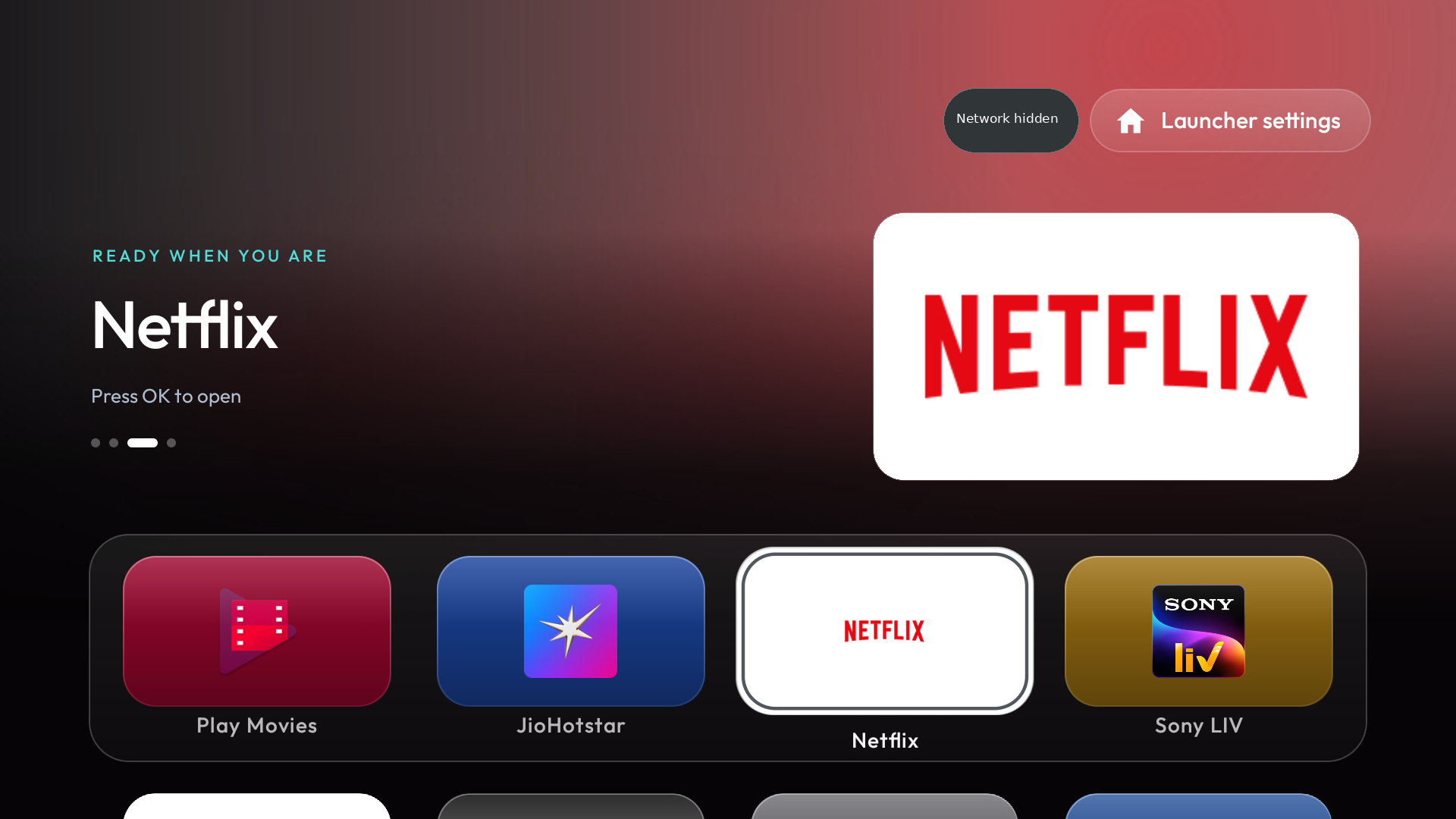
0TV Home on a TV: a flat dark home screen with one featured app and a row of large app banners
0TV Home, the bundled launcher · real 1.1.1 render
Version1.1.1, released 1 November 2026
Package24.7 MB · ARM64 and ARMv7
UpdatingInstalls in place over 1.0.0-rc8
LicenceFree · GPL-3.0
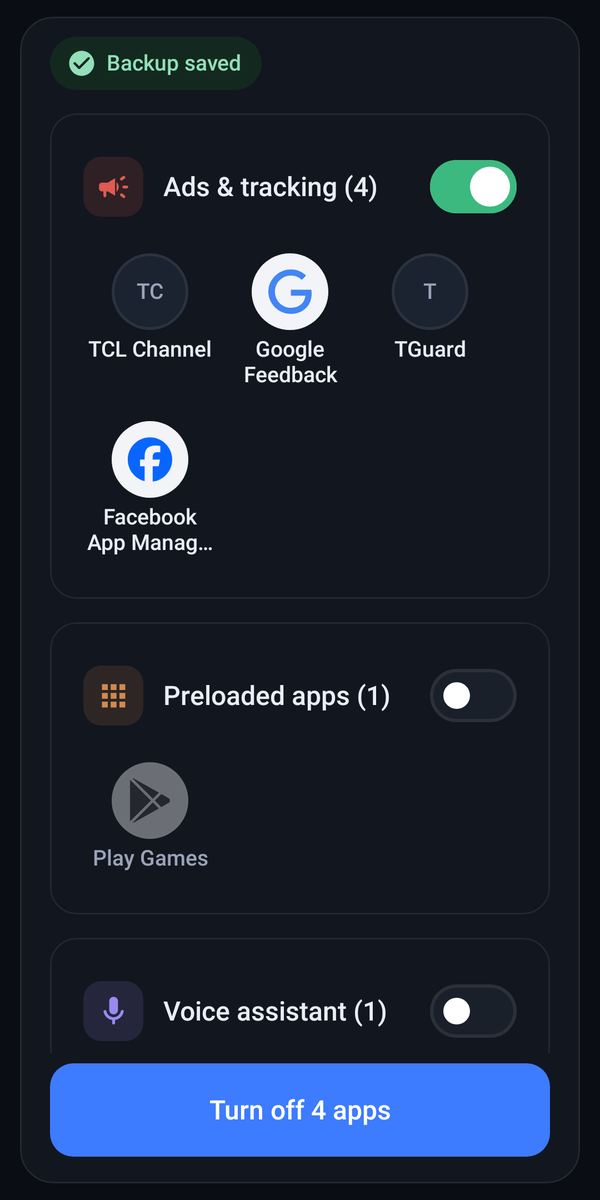
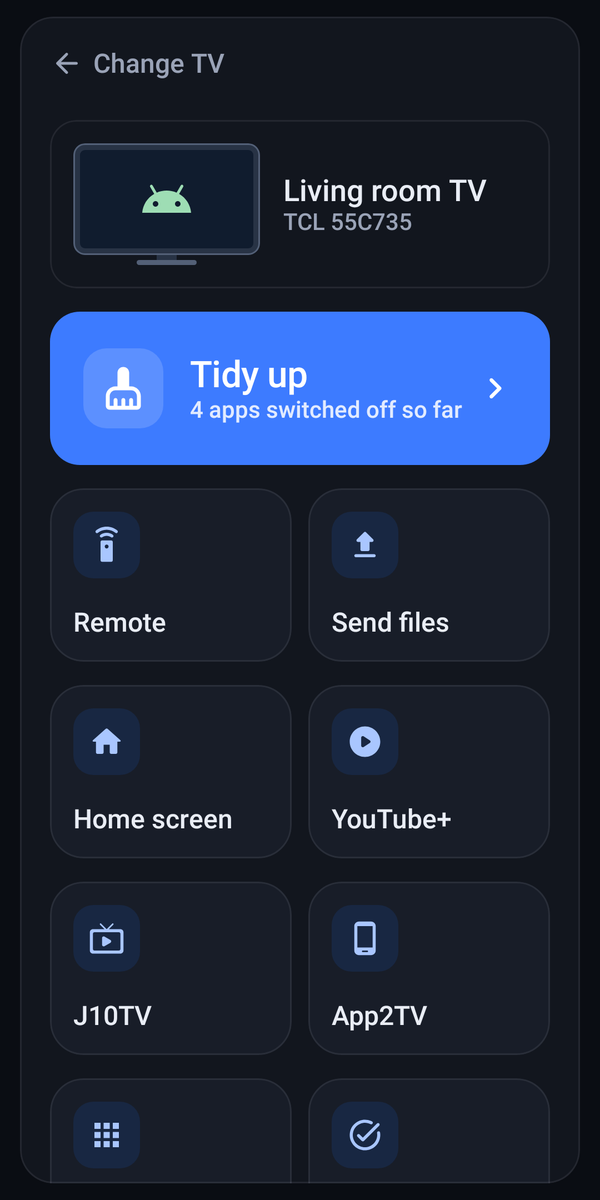
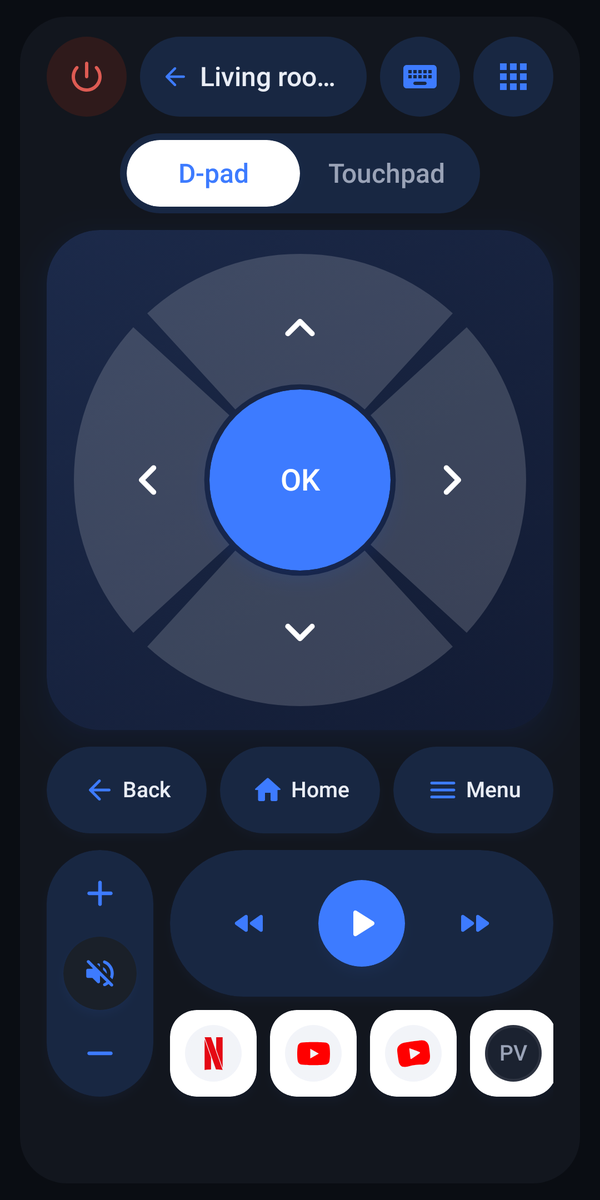
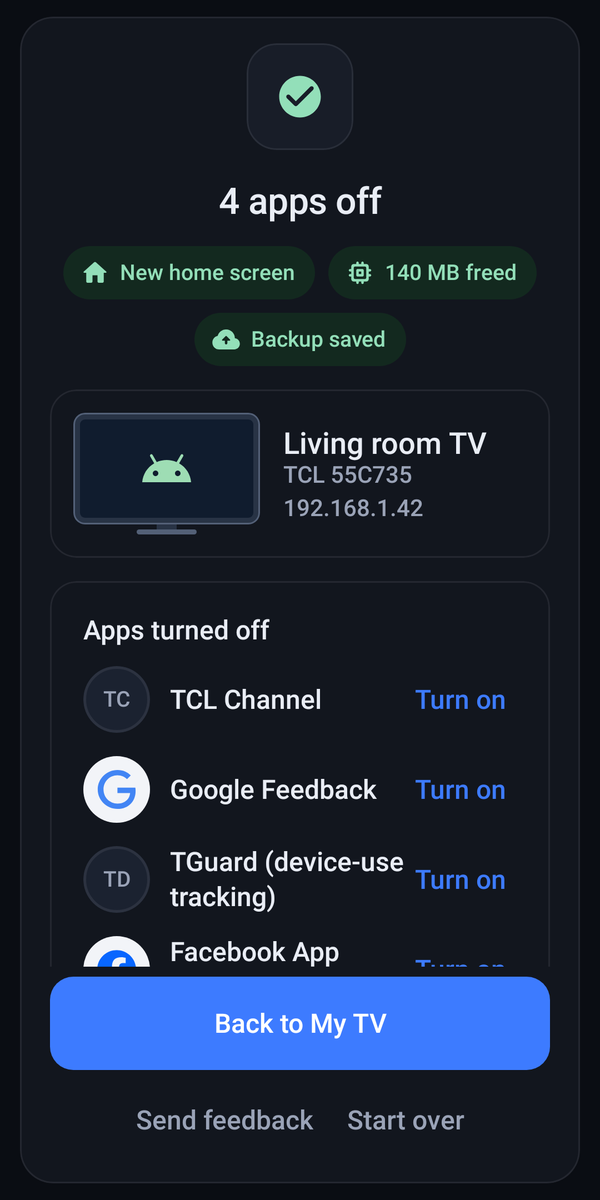
The 0TV welcome screen: a calm dark page with a Connect your TV button The review screen: backup saved, preloaded apps grouped with switches, a Turn off button The hub: Tidy up, remote, files, home screen, YouTube+, J10TV and App2TV tiles The phone remote: D-pad or touchpad, Back, Home, Menu, volume and app shortcuts The done screen: 4 apps off, backup saved, restore one tap away

What the phone app does

01

Connect, wirelessly.

Phone and TV on one network. Approve the prompt on the TV and 0TV links over wireless debugging - no laptop, no cable.

  • Wireless debugging, no cable
  • Pairing code flow built in
  • Nothing leaves your network
02

Review, then switch off.

Preloaded apps, grouped by what they do. A full backup is saved before anything moves.

  • Backup saved before anything moves
  • Apps grouped by what they do
  • Switch off first; removal flagged higher risk

Removal carries more risk than switching off.

03

One hub for the TV.

Tidy up, send files, change the Home screen, install extras - every tool lives in one calm grid.

  • Remote, files, Home screen, extras
  • Your TV's screen, captured on demand
  • One calm grid, nothing buried
04

The remote is in your hand.

D-pad or touchpad, text input, app launching, file sending.

  • D-pad or touchpad
  • Text input and app launching
  • Send files straight to the TV

Key support depends on TV firmware.

05

Undo is one tap away.

Every cleanup starts from a saved backup, and restore sits on the done screen.

  • Restore sits on the done screen
  • Recovery history kept in the app
  • A review pass flags apps that came back

Permanently deleted app data cannot be recovered.

The whole app, really rendered
Every screen below is a real 1.1.1 render. Nothing staged.

Welcome screen
01Welcome
Hub
02Hub
Review
03Review
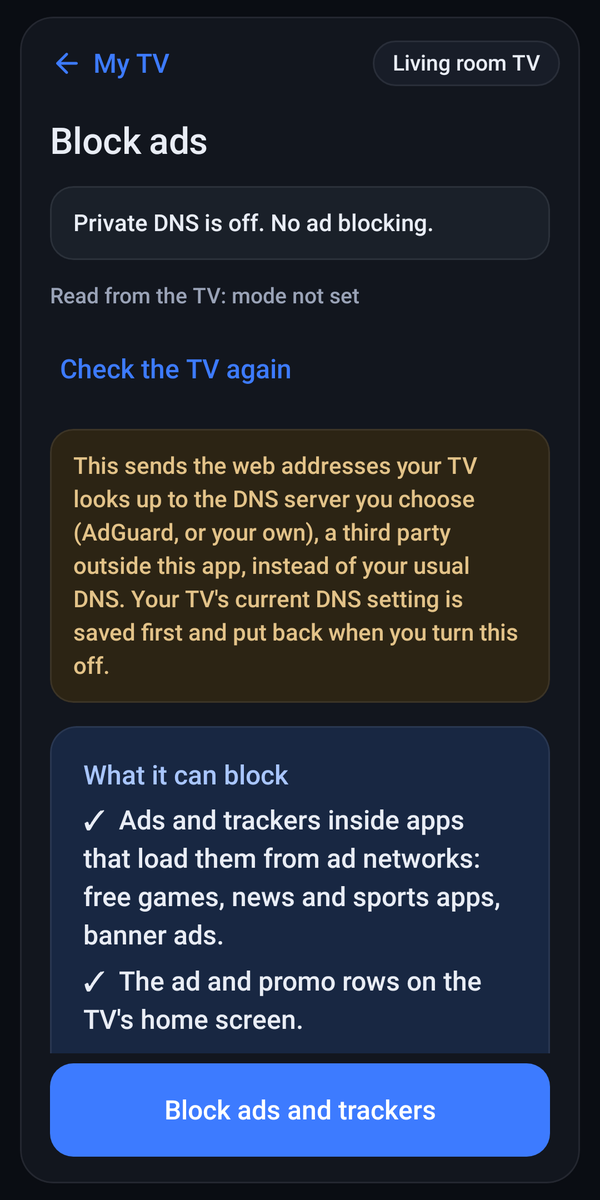
Ad blocking with Private DNS
04Ad blocking
Remote
05Remote
Done
06Done
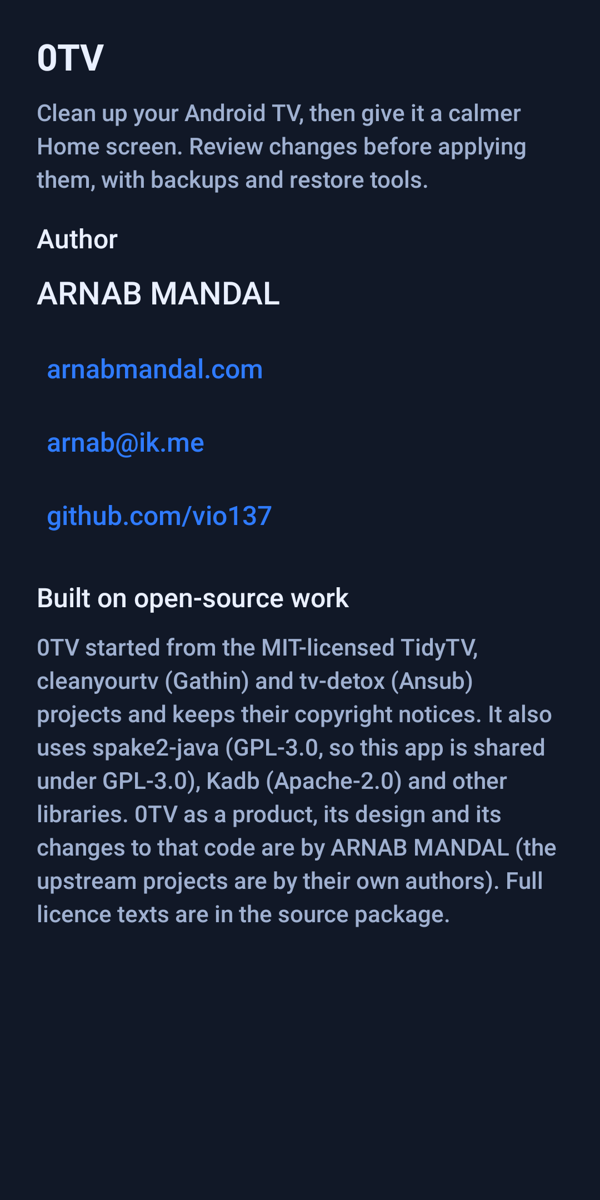
About
07About
0TV Home launcher
080TV Home
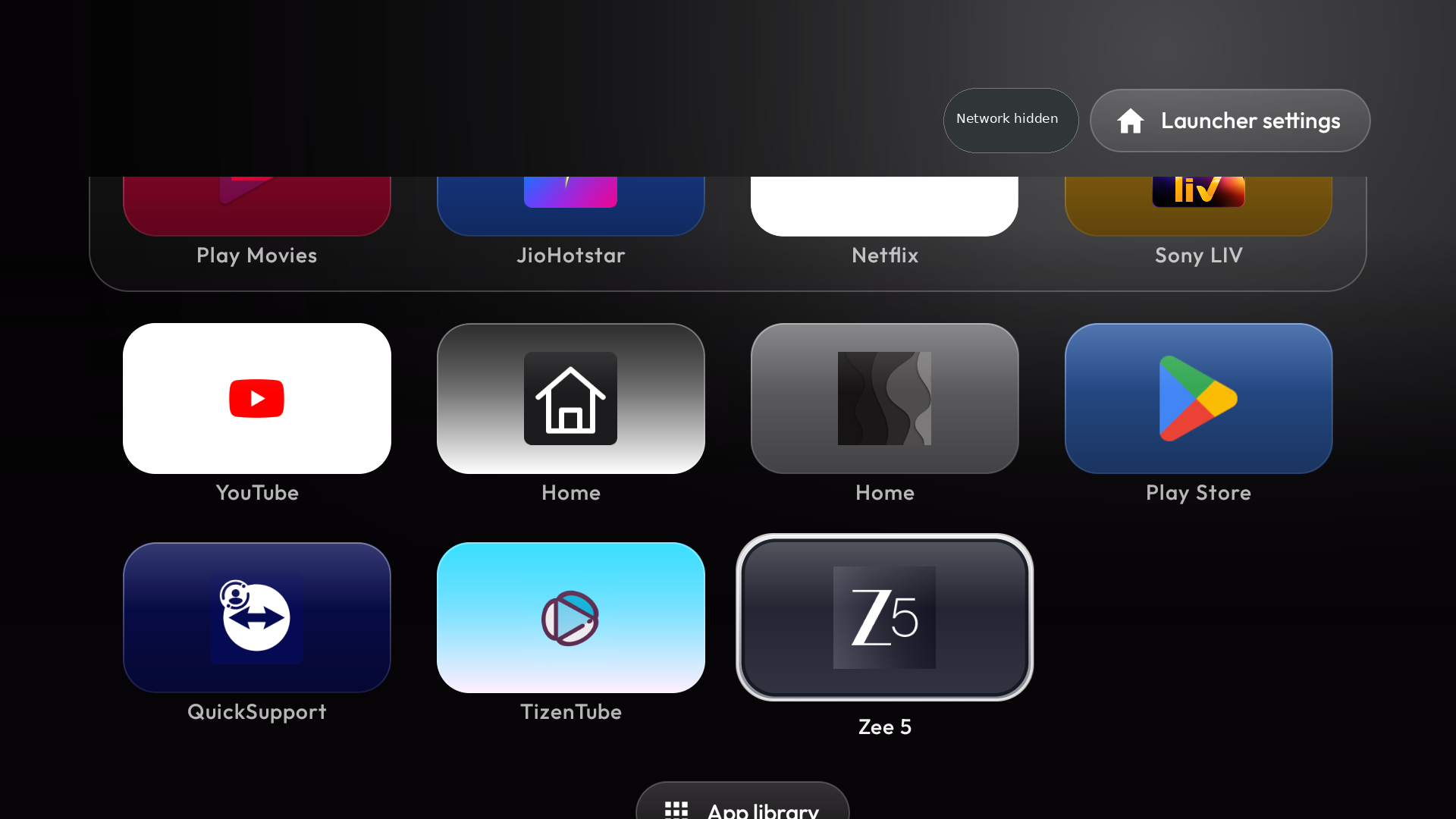
0TV Home app library
09App library

The bundled launcher

Come home to a front row, not a billboard.

0TV Home gives your apps large banners and a clear focus ring. Flat and quiet in 1.1.1 - and it keeps working without the phone.

  • Large banners. One clear focus ring across the front row, nothing shouting.
  • Flat and quiet. The 1.1 redesign carries through the whole launcher.
  • Independent. Once installed, 0TV Home keeps working without the phone.
  • Settings inside. The launcher carries its own settings, one button away.
  • Playful underneath. Up, up, down, down, left, right, left, right cracks the screen; repeat to undo. Render-tested, not tried on a physical remote.
0TV Home on a TV: a flat dark home screen with one featured app and a row of large app banners
0TV Home · real 1.1.1 render
The 0TV Home app library: large flat banners for the installed apps, nothing else
The app library · real 1.1.1 render

Version 1.1.1, on record

Released 1 November 2026

0MBAPK size
0screensrender-verified in the test suite
0trackersno account, no analytics, no update check
0rupeesfree, GPL-3.0
Package0TV-1.1.1.apk
Size22,307,738 bytes
PhoneAndroid 8.0 or newer
ArchitecturesARM64, ARMv7
UpdatingInstalls in place over 1.0.0-rc8
SigningUnchanged since rc8
LicenceGPL-3.0, parts keep theirs
SHA-25626f660036f27b1413ffa32223221e2f19d6b2d5fb0900e5157e4fa399174c9fb
CompatibilityAndroid TV, Google TV · Fire TV partial · Tizen and webOS no
VerifiedAutomated suite and renders; no physical-TV test of 1.1.1. Testing notes

From download to a new Home

Six steps. The phone app installs the launcher on the TV.

Keep the app installed so recovery history survives.

The complete guide, on GitHub

What you need

  • An Android 8 or newer phone
  • A TV with Developer options
  • Phone and TV on one home network
  • The APK from the releases page
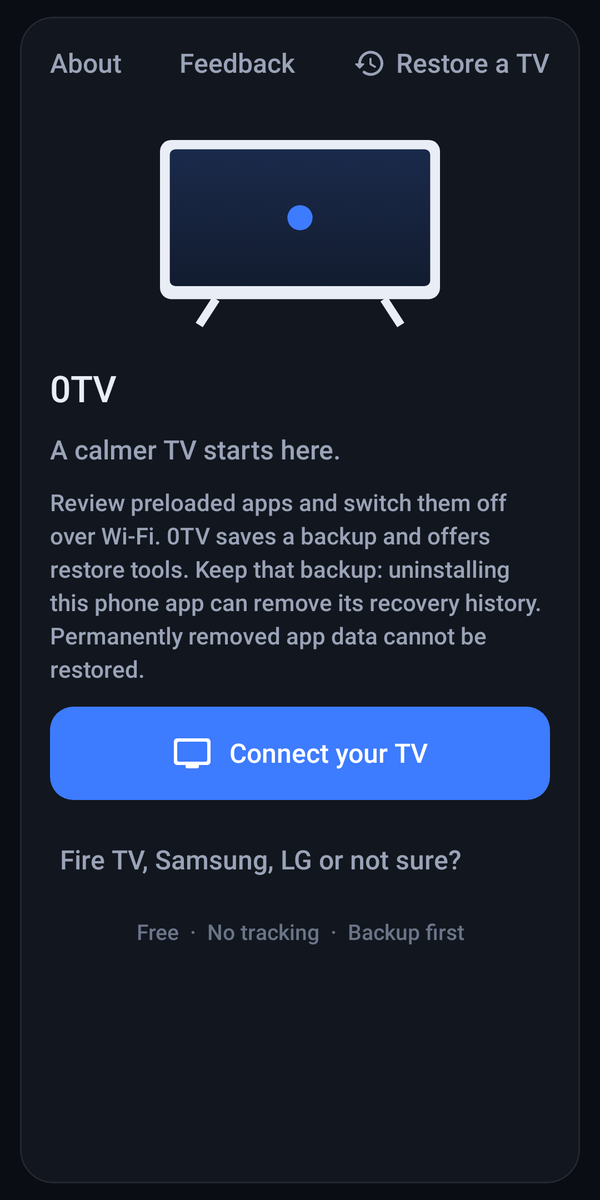
The 0TV welcome screen: a calm dark page with a Connect your TV button
The first screen · real 1.1.1 render
  1. 01
    Download and open the APK on Android 8 or newer; allow "Install unknown apps" if asked.
  2. 02
    Prepare the TV. Turn on Developer options and ADB or Wireless debugging.
  3. 03
    Share one network. Phone and TV on the same home network; no guest networks.
  4. 04
    Connect and approve. Accept the prompt on the TV; Wireless debugging needs its pairing code.
  5. 05
    Review and tidy. Wait for the backup, then switch off what you don't want.
  6. 06
    Choose 0TV Home. From the hub, pick Home screen, then 0TV Home.

Optional tools, off by default

Each is a separate, explicit choice.

Block ads

Points the TV's Private DNS at AdGuard (Android 9 or newer); off restores the saved setting.

Queries go to a third party; YouTube in-video ads stay.

AdGuard or custom DoT · Android 9+ · reversible

J10TV

Installs the open-source JioTV Go app from its GitHub releases, verified first.

You sign in with your Jio account.

JioTV Go · open source · verified before install

TizenTube Cobalt

An independent YouTube client, checked before sending.

Restore does not roll it back; unaffiliated with YouTube or TizenTube.

Independent client · checked before sending

App2TV

Copies an app from your phone to the TV.

Compatibility checked first; physical transfer unverified.

Phone to TV · splits handled

Plain answers

The limits first, in the same size type.

What does 0TV check?

It reads the TV's real DNS setting and resolves names first. A review pass flags apps that returned after a TV update - not proven on every device.

Can I undo every change?

No. Restore uses recorded backups; permanently deleted app data cannot be recovered.

What leaves my network?

Local ADB only; optional tools call out when chosen. The site itself runs no analytics.

Does it work on a Fire TV?

Partially. Android TV and Google TV are the main targets, Fire TV support is partial, and Tizen and webOS TVs are not supported.

What does it cost?

Nothing. 0TV is free and open source under GPL-3.0; individual components keep their own licences.

Your next Home starts here

Take back
your TV.

SHA-25626f660036f27b1413ffa32223221e2f19d6b2d5fb0900e5157e4fa399174c9fb

Read the recovery limits before changing your TV; a download does not guarantee compatibility.

One APKPhone app and TV launcher together
Backup built inEvery tidy starts from a saved backup
Nothing watchingNo account, no analytics, no update check